Design Thinking
What Is Design Thinking in Software Engineering?
Design thinking turns vague interview prompts into clear architectures—requirements first, explicit trade-offs, and systems that survive production.
Design thinking in software engineering is how you translate unclear product requirements into practical, reliable, and scalable system architectures. It is not a diagramming trick or a checklist of technologies—it is a way of reasoning: clarify constraints, break the problem into components, name trade-offs aloud, and design for failure before you draw boxes.
If you are preparing for system design interviews or trying to grow from "I can implement features" to "I can own architecture," this article is your starting point. By the end, you should be able to explain what design thinking is, how it differs from coding thinking, and how to walk through an ambiguous prompt without jumping to Redis or microservices on instinct.
Related reading on this site: For handling vague prompts with structured questions, see Ambiguity Handling & Problem Framing. For a repeatable interview workflow, read The 7-Step Problem-Solving Framework. When you are ready to justify choices under constraints, continue to Trade-Off Thinking.
The five-step flow below is the spine of every strong system design interview answer—requirements before boxes, trade-offs before technologies.
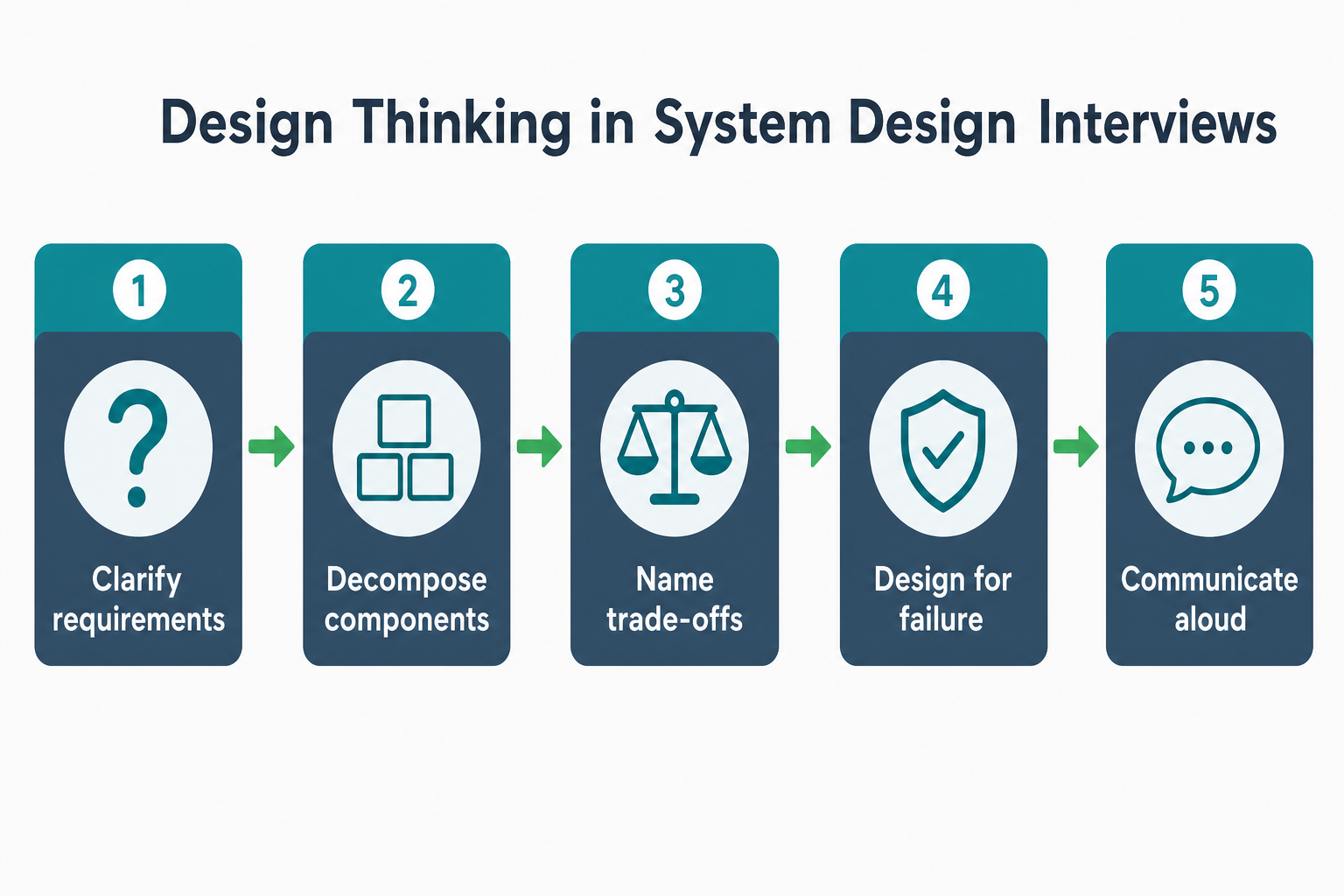
Senior interview signal: walk the prompt through clarify → decompose → trade-offs → failure → communicate—not straight to Redis or microservices.
When you're asked to "design a URL shortener" or "design Instagram," the interviewer isn't testing your ability to write code. They're testing your ability to think like a senior engineer—someone who can:
- Break down vague problems into concrete components
- Reason about trade-offs between different architectural choices
- Anticipate failures and design for resilience
- Communicate complex ideas clearly and confidently
- Make decisions based on constraints, not just preferences
This is what separates a junior engineer from a senior one. A junior engineer might jump straight to writing code. A senior engineer first understands the problem, identifies constraints, explores trade-offs, and then designs a system that works in production.
Differences Between Coding vs Architecture Thinking
Coding Thinking
Coding thinking focuses on:
- Implementation details: How do I write this function?
- Syntax and patterns: Which design pattern should I use?
- Local optimization: How do I make this function faster?
- Immediate correctness: Does this code work for the test case?
Example: "I'll create a ShortUrl class with a generate() method that uses base62 encoding."
Architecture Thinking
Architecture thinking focuses on:
- System boundaries: What are the components and how do they interact?
- Data flow: How does data move through the system?
- Scalability: What happens when we have 1 billion URLs?
- Reliability: What happens if the database goes down?
- Trade-offs: Should we use SQL or NoSQL? Cache or database? Synchronous or asynchronous?
Example: "I'll need a URL generation service, a storage layer, a caching layer, and a redirect service. The storage needs to handle billions of records, so I'll use sharding. The redirect service needs sub-10ms latency, so I'll use Redis for caching."
| Dimension | Coding thinking | Architecture / design thinking |
|---|---|---|
| Starting question | "How do I implement this?" | "What problem are we solving, under what constraints?" |
| Unit of work | Functions, classes, modules | Components, data flows, failure domains |
| Success metric | Tests pass, feature ships | System meets NFRs at target scale |
| Typical mistake | Optimizing locally before the design is clear | Over-architecting before requirements are clear |
| Interview signal | Lists technologies quickly | Asks clarifying questions, then names trade-offs |
Both modes matter in production—you need architecture thinking to choose the shape of the system, and coding thinking to implement it well. Interviews heavily weight the former because they predict how you will behave when requirements are ambiguous.
Clarifying Questions Before You Draw Boxes
When a prompt is underspecified ("design a notification system"), your first move is not a diagram—it is a short list of questions that turn ambiguity into constraints. Interviewers listen for this before they care which database you pick.
Ask at least five of these on every design prompt:
- Users and use cases — Who triggers notifications? Marketing blast, transactional alerts, or both?
- Scale and growth — Requests per second today? Expected 10x in a year? Spike shape (steady vs flash events)?
- Latency and delivery — Must the user see the notification within seconds, or is minutes acceptable?
- Reliability — Can we lose a notification, or is at-least-once delivery required? What does "duplicate" mean to the product?
- Constraints — Team size, existing infra, budget, regions, compliance (SMS opt-in, email CAN-SPAM)?
- Failure expectations — If email is down, do we retry, fall back to push, or fail the whole request?
Writing these down (or saying them aloud) buys you time, shows senior judgment, and prevents the classic mistake: designing a Kafka cluster for 12 messages per second because the prompt sounded "big."
For a deeper playbook on framing ambiguous problems, see Ambiguity Handling & Problem Framing.
Thinking Aloud Like a Senior Engineer
Let me walk you through how I'd actually approach a design problem. This isn't a polished answer—it's the messy, real-time reasoning that happens before you arrive at a solution.
Problem: "Design a notification system that sends emails, SMS, and push notifications to users."
My first instinct: "Okay, I'll just create a service that takes a notification request and sends it. Simple, right?"
But wait—that fails because:
- What if we need to send 1 million notifications? A single service will be overwhelmed.
- What if the email service is down? Do we lose the notification?
- What if a user opts out? We need to check preferences first.
Let me step back: "I need to understand the requirements first. What's the scale? What's the latency requirement? What are the failure scenarios?"
Assuming we clarify: 1M notifications/day, 5-second latency requirement, 99.9% reliability.
My next thought: "I could use a simple API that calls email/SMS/push services directly. That's synchronous and simple."
But that violates the latency constraint: If email service takes 2 seconds, SMS takes 1 second, and push takes 0.5 seconds, that's 3.5 seconds total. But what if email is slow? We'd exceed 5 seconds. Also, if one service fails, the whole request fails.
So I reject synchronous: "We need asynchronous processing. The API should accept the request, return immediately, and process in the background."
Now I'm thinking: "How do we handle the async processing? We could use a message queue—RabbitMQ or Kafka. But wait, do we need Kafka's durability and replayability? Or is RabbitMQ simpler?"
For 1M notifications/day: That's about 12 notifications/second. RabbitMQ can easily handle that. Kafka would be overkill unless we need event replay or multiple consumers with different processing speeds.
I'm choosing RabbitMQ: "It's simpler, handles our scale, and has good durability. This is the trade-off I'm consciously accepting—simpler operations over Kafka's advanced features."
Next question: "How many workers do we need?" If each notification takes 1 second to process, and we have 12 notifications/second, we need at least 12 workers. But we should have some headroom for spikes. Let's say 20 workers.
Failure handling: "What if a worker crashes? The message stays in the queue, another worker picks it up. What if the email service is down? We retry with exponential backoff. What if the queue is full? We reject new requests and return an error."
User preferences: "We need to check if the user opted out before sending. Should we check in the worker or in the API? If we check in the API, we can reject early. But that adds latency to the API call. If we check in the worker, we waste queue capacity on notifications that won't be sent."
I'm choosing to check in the API: "It's better to reject early than waste queue capacity. This adds maybe 10ms to the API call, which is acceptable."
Final architecture: API → Check preferences → Enqueue to RabbitMQ → Workers process → Send via appropriate service → Update status.
This is the trade-off I'm making: Simpler architecture (single queue) over more complex routing (separate queues per channel). For our scale, single queue is fine. If we needed different processing speeds per channel, we'd need separate queues.
Notice how I didn't jump to "microservices" or "Kafka" or "event sourcing." I started simple, identified constraints, made trade-offs explicit, and built up complexity only where needed.
How a Senior Engineer Thinks
A senior engineer approaches design problems systematically:
-
Clarify the problem: "What exactly are we building? Who are the users? What are the constraints?"
-
Identify the core components: "What are the essential pieces? API, storage, caching, background jobs?"
-
Think in flows: "How does a request flow through the system? Where are the bottlenecks?"
-
Consider scale: "What happens at 1K, 1M, 1B users? Where will the system break?"
-
Design for failure: "What can go wrong? How do we handle it gracefully?"
-
Make trade-offs explicit: "We're choosing X over Y because of constraint Z. Here's what we're giving up."
-
Communicate clearly: "Let me draw a diagram. Here's the high-level architecture, here are the data flows, and here are the trade-offs."
Real-World Example: Instagram's Photo Upload System
When Instagram engineers designed their photo upload system, they didn't start with code. They started with design thinking:
Problem: Users upload photos that need to be processed, stored, and served to millions of users.
Architecture Thinking:
- Components: Upload service, image processing service, storage (S3), CDN, metadata database
- Flow: User uploads → Upload service → Image processing (resize, filters) → Store in S3 → Store metadata in database → Serve via CDN
- Scale: Millions of uploads per day, billions of photos stored
- Trade-offs:
- Synchronous processing (simple) vs Asynchronous processing (scalable) → Chose async for scale
- Store all sizes vs Generate on-demand → Chose store all sizes for performance
- Single database vs Sharded database → Chose sharding for scale
Result: A system that handles millions of uploads daily, processes images asynchronously, stores multiple sizes for performance, and serves photos via CDN for low latency.
Key Principles of Design Thinking
1. Start with Requirements, Not Solutions
Don't jump to "I'll use Redis" or "I'll use microservices." Start with:
- What are the functional requirements?
- What are the non-functional requirements (latency, throughput, availability)?
- What are the constraints (budget, team size, timeline)?
2. Think in Components, Not Code
Break the system into logical components:
- API layer
- Business logic layer
- Data layer
- Caching layer
- Background jobs
Each component has a clear responsibility and interface.
3. Design for Scale from Day 1
Even if you're building an MVP, think about:
- What happens at 10x scale?
- What happens at 100x scale?
- Where will the bottlenecks be?
This doesn't mean over-engineering. It means designing with scale in mind, so you can scale incrementally.
4. Make Trade-offs Explicit
Every architectural decision is a trade-off:
- SQL vs NoSQL: Consistency vs Flexibility
- Cache vs Database: Speed vs Freshness
- Monolith vs Microservices: Simplicity vs Scalability
Make these trade-offs explicit. Explain why you chose one over the other.
5. Design for Failure
Systems fail. Design for it:
- What happens if the database goes down?
- What happens if a service crashes?
- What happens if the cache is empty?
Design for graceful degradation, not perfect operation.
Practical Exercise: Apply the Framework Yourself
Use the notification walkthrough above as a template. On your next practice session, pick any prompt and force yourself through the same gates:
- Clarify — Write five questions you would ask the interviewer before drawing.
- Decompose — List components and who owns each (API, queue, workers, channel adapters, preferences store).
- Flow — One sentence per hop: request in → persistence → async processing → external send → status update.
- Scale & spikes — Average rate and worst-case burst (breaking news, product launch).
- Failure — One row per dependency: what happens when it is slow, down, or returns errors?
- Trade-offs — For each fork (sync vs async, one queue vs many), state what you gain and give up.
Time-box to 35–45 minutes—the same window as most system design interviews. If you cannot explain why you rejected an option, you are not done yet.
Best Practices
-
Always start with requirements: Don't jump to solutions. Understand the problem first.
-
Think in components: Break the system into logical pieces with clear responsibilities.
-
Consider scale early: Even for MVPs, think about what happens at 10x, 100x scale.
-
Make trade-offs explicit: Explain why you chose one approach over another.
-
Design for failure: Systems fail. Design for graceful degradation.
-
Communicate clearly: Use diagrams, explain flows, justify decisions.
-
Iterate: Start simple, measure, then optimize based on evidence.
Common Interview Questions
Beginner
Q: What is design thinking in software engineering?
A: Design thinking is the ability to translate unclear product requirements into practical, reliable, and scalable system architectures. It focuses on clarity, reasoning, constraints, and trade-offs instead of just code. It's the skill that differentiates junior engineers from senior ones.
Intermediate
Q: How is architecture thinking different from coding thinking?
A: Coding thinking focuses on implementation details, syntax, and local optimization. Architecture thinking focuses on system boundaries, data flow, scalability, reliability, and trade-offs. A junior engineer might jump to writing code, while a senior engineer first understands the problem, identifies constraints, explores trade-offs, and then designs a system that works in production.
Senior
Q: You're asked to design a system. How do you approach it?
A: I follow a systematic approach:
- Clarify the problem: Understand requirements, users, constraints
- Identify components: Break into logical pieces (API, storage, caching, etc.)
- Think in flows: How does data move through the system?
- Consider scale: What happens at 1K, 1M, 1B users?
- Design for failure: What can go wrong? How do we handle it?
- Make trade-offs explicit: Explain why we chose one approach over another
- Communicate clearly: Use diagrams, explain flows, justify decisions
Summary
Design thinking in software engineering is the discipline of turning ambiguous requirements into architectures you can defend: clarify constraints, decompose into components, trace data flows, plan for scale and failure, and state trade-offs before technologies. It is the skill interviewers use to separate engineers who memorized buzzwords from engineers who will make good decisions in production.
Key Takeaways
- Requirements before solutions — Technology choices only make sense after scale, latency, and failure expectations are explicit.
- Components, not code — Name services, queues, and stores with clear responsibilities; interfaces matter more than class names in interviews.
- Clarifying questions are part of the answer — Five good questions often score higher than a premature architecture diagram.
- Think in flows and bottlenecks — Follow one request end-to-end; that is where overload and single points of failure appear.
- Scale in multiples — Ask what breaks at 10x and 100x; you do not need to build for billion users on day one, but you should not be surprised by growth.
- Design for failure early — Retries, queues, and degradation paths belong in the first sketch, not as "phase two."
- Trade-offs out loud — "I chose RabbitMQ over Kafka because…" is senior signal; silent preference is not.
Apply This Thinking
Put the mental model into practice on InterviewCrafted:
- Design a URL Shortener — Small scope; practice clarifying read vs write ratio and id generation before storage choices.
- Design a Notification System — Replay the async, queue, and preference trade-offs from this article under interview timing.
- Design Twitter — Feed, fan-out, and scale—forces component thinking and explicit trade-offs at higher complexity.
- Architecture Thinking — Next hub article: decompose problems into components once requirements are clear.
- Communication & Interview Strategy — How to say your reasoning aloud so interviewers follow your design thinking in real time.
Related Topics
- Ambiguity Handling & Problem Framing — structured questions when the prompt is intentionally vague.
- Structured Problem-Solving Framework: The 7-Step Approach — repeatable workflow from requirements through deep dive.
- Trade-Off Thinking — how to justify decisions when every option has a cost.
- Failure-First Design Thinking — extend "design for failure" from principle to concrete failure modes and blast radius.
- API Design — fundamentals topic for shaping the contracts between the components you decompose.
FAQs
Q: Is design thinking the same as system design?
A: Design thinking is how you reason—clarifying questions, components, trade-offs, failure. System design is the activity of producing an architecture for a specific problem. You use design thinking during every system design interview; the deliverable is the diagram and decisions you defend.
Q: How is design thinking different from picking your favorite stack?
A: Favorite stacks skip constraints. Design thinking names what you gain and lose for each option under stated scale, latency, and reliability requirements—so your choices sound like engineering judgment, not habit.
Q: Do I need to know specific technologies to practice design thinking?
A: No. Design thinking is about reasoning, not memorizing technologies. Knowing common building blocks (databases, caches, message queues) helps you make informed trade-offs faster—but you can practice the framework with generic labels first.
Q: How do I improve my design thinking skills?
A: Practice breaking down problems, identifying components, thinking in flows, considering scale, and making trade-offs. Study real-world systems (Instagram, Uber, Netflix) and understand why they made certain architectural choices.
Q: Can I use design thinking for small projects?
A: Yes. Even for small projects, thinking in components, considering scale, and making trade-offs explicit will help you build better systems. You don't need to over-engineer, but you should think systematically.
Q: How do I communicate design thinking in interviews?
A: Start by clarifying the problem, then break it into components, explain the data flows, consider scale, design for failure, and make trade-offs explicit. Use diagrams to visualize your thinking.
Q: Is design thinking only for backend engineers?
A: No. Design thinking applies to all engineers—frontend, backend, mobile, DevOps. The principles (breaking down problems, thinking in components, making trade-offs) apply everywhere.
Q: How long does it take to master design thinking?
A: It is continuous practice, not a one-time course. Most engineers notice clearer interview performance after 6–10 timed practice designs with feedback on clarifying questions and trade-offs. Production experience accelerates it—you learn which shortcuts fail when traffic spikes.
Keep exploring
Design thinking works best when combined with practice. Explore more topics or apply what you've learned in our system design practice platform.